Showing posts with label film. Show all posts

May 4, 2013

Back Down To Earth!


 Hey guys;

Today isn't really an article, but more of a ramble. A discussion on something I've seen a lot of, and do experience as well. This is written as advice not only to those budding and otherwise talented film makers (and other creative types), but to myself as well.

It's starts with something simple. We have that creative urge. Pick up that pencil or paint brush, pinch Mum and Dads video camera, start a new word document, grab the beat up guitar with old strings... and we make do with it. Because we don't have a choice. We want to explore our creative minds and we'll use whatever we can to begin that process. I remember starting out first with a video camera I borrowed from my then-girlfriend. I had a film idea, a rough word document to explain the story... and a few cap guns. I ran outside with my siblings and filmed what would be my first foray into "directing"... A film called Car Lovers Revenge. It was a nasty little SD JVC Everio camera, on board mic system and a horrible built in lens. But, it's what I had.
I had a split with that girlfriend a month or two later, and unfortunately lost the footage before the film could be made. All that survives from that project is a Youtube based trailer that proved how bad the film truly was going to be. But I didn't care. I was learning, I was creating.
Fast forward, after my few months of pining "lost love" and I dived into my new love... making short action clips. I was armed with a nokia N95 stolen (or "eternally borrowed" as I preferred to say) from a friend, my mothers brand new Acer work station and a pirated (yes, sadly) copy of Sony Vegas Pro 6. I also had siblings, Skye and Patrick who were my crew and actors. We made about 5 short films or more using that setup, each in their own ways really BAD.. but I was learning my craft still, and doing what I loved.

Fast forward at least a year later and I was looking at getting a new camcorder to replace the phone. I was developing some films I wanted to make that I knew the phone wouldn't be up to the task, so I purchased a brand new Canon HV30, $1200 later. From there on, I was more choosy with my projects. I found myself not writing "just any action scene that came to mind" and wanted to start making more serious projects. I had a few false starts, a few "bad eggs" in scripts that turned out to be terrible films... and suddenly it slowed to a crawl. I stopped shooting films, I started doing videography work... and thats when the "gear collection" started.

My "GH1 collection".

You see, what I'm getting at here in my "ramble sesh" is that we all get lost at one point, when we stop seeings stories and start seeing other peoples work with amazing sound, cinematography... and compare our work to that. I know, in my case I was watching short films with slider/dolly shots, steadicam sequences, decent audio, not-that-shaky-handheld that looked good... And I wanted to put all that into my films. I bought my GH1 because I wanted the shallow depth of field that removable photographic lenses provided, and better low light performance than my HV30. I'm one for al-naturale light, not lighting setups. Better dynamic range/sensor-tivity made my job a little easier. I found myself caught up in the "what else can I add to my gear?" "What else to I need?".

This week I finally woke up to that fact. After I'd bought my LX7, and my new slider... and I was looking for the next piece of equipment to add to my gear. I look at all the work I've done over the last 8 months of owning my GH2... and I don't see a great deal to show for all that money invested in gear. I do a lot of videography stuff, but my original reason for picking up a camera... I don't seem to do that much anymore. Lost in the world of being a "dude with a camera", I no longer write scripts because I'm afraid I'll write another stinker of a film. I do more work tweaking scripts for others, lending my knowledge in gear and cameras to friends and other interested peoples... and I forget about my original 'plan'.

So my advice to you all out there is this: Don't get lost in the world of technicality. I did that. I started reading forum posts, I started reading stats and specs sheets for gear... I stopped seeing "any camera can be used to tell a story" and started seeing the distractions instead. Too many times have I seen other film makers (and myself) not do a project purely based on the fact that they're just waiting for "that next bit of kit before they start filming". Forget that. Use whatever you have, get out there and make that bloody movie. Stop letting the world of specs and gear lists weigh you down. If you fall down that hole, it's hard to get out of.

Things are a bit different for me now that I'm a videographer primarily, and a film maker secondary. What gear you have, can definitely help your production values (as I discovered recently with the 'MySong Award' music clips ) but it can distract you as well. While I do raise the quality of my projects, I run into a variety of other situations where I don't spend enough time really "testing" my new toys, and instead learn 'on the fly'. Whilst it's a good way to learn quickly, it can be frustrating when you're filming a wedding and you can't figure out how to balance your damn flycam. In the end you chuck the bloody thing and refuse to use it ever again.

As a film maker, you have creative license. There is a reason why people out there are able to create films on their phones and use cheap cameras creatively. I keep wanting to "go back to basics", and I may do so one day in the future. The point of film making is to focus on the story you're telling, not the gear you use to tell it. Your most important "gear" is your script, and your actors. Your directing skills help, but I think that one is a learn-as-you-go kinda deal. Pull that phone out of your pocket and go out and make that film you've been wanting to make. Take that challenge, you never know how much better it'll make you as a film maker.

Thanks for reading my post. I do apologise if it was a long one. I hope it was informative and you learnt something!


Apr 30, 2013

Filming The My Song Award 2013

Hey guys and gals!

I had a very busy weekend this weekend, filming a wedding on Friday night, filming the My Song Award on Saturday night... and editing on Sunday. A bit of a long weekend for me, but nothing a hard working videographer can't handle.

When I was asked to film the My Song Award, I really didn't have much of an idea of the location... or how I would go about covering it. I had a few weeks to figure it out after I agreed to take the job. The concert was to be held inside the St. Brigids hall in Dubbo, a former church. I'd never set foot into this building until Saturday night, and I was quite surprised at how well lit it was.

I started out with a basic plan. A multicamera shoot with seperate audio off the mixer... my usual palate when it comes to live performance videos. When I got there, I unpacked my gear and set up around the stage. I knew I was going to have trouble fitting 6 half hour sets on my 32gb card in my hacked GH2, and I'd bought extra cards in anticipation for the shoot that didn't arrive in time... so I had my girlfriend bring her laptop, and be my data monkey between sets.


I set up my GH2 on my best tripod, with my new slider over to the right of the stage. I attached my 50mm 1.7 lens for a nice close perspective (wasn't as close up as I wanted, but it worked well enough). I also set up my GH1 to the left of the stage with my C-mount 35mm f1.7 for a slightly wider perspective. This camera, as well as my wide center (My LX7/HV30 with Fisheye lens) were to be the static shots, my slider/tripod combo would be the only moving shots.

The gig kicked off, and despite a few small hiccups with sound (I managed to drop my Zoom H1 recorder at the end of one track and the battery fell out. I slammed it back in and had the recorder back up and running before the next song started. Towards the end of the second set, my LX7 decided to die due to a suddenly dead battery (very sudden). Meanwhile my GH2 and GH1 were chugging along happily without any hiccups.


At the end of the second set I pulled out my backup camera, my Canon HV30... chucked a tape in it, and threw on my handy dandy Sony wideangle lens. I'd never used this lens on my HV30 before... and didn't know it would become a fisheye lens. I had that replace my LX7 in the wide center perspective and kept right on rolling.

Note the fisheye wideness of the center-wide shot.

From there onwards, there wasn't a single hiccup until the end of the night. After the last act, I knew my card in my GH2 would be getting pretty close to full. I sat patiently waiting for the judges to make their decision, meanwhile my last 10 minutes of card space slowly filled up. I managed to catch the verdict on the last 4 minutes, and stopped the camera with 19 seconds of space left on the card.

All in all it was a complicated but sucessful shoot. The audio came out better than expected, and with a bit of tweaking in Adobe Audition... I managed to make it sound as good as it was on the night.

Check out the videos, and check out the muso's pages. They are a very talented bunch, it was a pleasure to film them.


Dec 22, 2012

BEGINNER FILMMAKER ‘KIT’ FOR $1000!

A recent post over on "The Frugal Filmmaker" facebook page led me to write this article. This is by no means a "difinitive" solution, just a humble opinion.
The question read a little like this:

"I have $1000, and I want to get a basic filmmaking kit so I can start making movies. What can I get?".

Surprisingly, I reckon you can get quite a bit with that cash... and in this day and age, you can stack up with the big boys (indie films, etc) for a lot less than their typical film budget!

I'm going to design a kit for beginner filmmakers and videographers, which can be used as a guide... or as a shopping list. I will not suggest anything I haven't personally used, or properly researched. Towards the end of the article, I will give alternatives to the gear I mention. Please do not leave comments saying "oh but such and such camera/recorder/mic is crap blah blah"... This isn't constructive, and nor is it welcome.
Lets get on with it then.

------------------------------------------------------------------------------------------------------------


First off... the camera:

PANASONIC LUMIX GH2


AVERAGE PRICE: $5-600 (at time of posting, B&H list the GH2, body only for $500)


The Panasonic GH2 has been a welcome addition to my camera kit for a little over 6 months. I bought mine with the 14-42mm kit lens... and I would recommend it as a purchase, but it's not really "necessary". It can be bought for around $120-$200 seperately... or for about 1-200 bucks more than the GH2 body only on most websites. Snoop around on eBay, find a bargain.

The reason I picked the GH2 is simple. Quality video, small form factor. You have the usual slew of frame rates and resolutions: 1920x1080 24p/30p, 1280x720 30p, 60p, 60i. PAL models can be found, or through the wonders of Ptools (more on this later) can unlock PAL framerates 25p/50i at I believe both resolutions.

The other benefit of the GH2, is that you can adapt just about any lens to it... and get beautiful cinematic images. There are options to hack it, but the image quality out of the box is easily useable in about 90% of situations. Low light performance is amazing right up to 1600iso...

The downside is, this works like a DSLR... not like a camcorder. Although, there are benefits to starting off with a DSLR/Mirrorless system camera... such as learning how to manually adjust aperture, shutter spees and iso settings, and understanding through self teaching (or googling) how these settings work together to affect your footage.

The GH2 is also a fairly capable stills camera, great for snapping DVD cover shots... or web promotional images. Most of the work I submitted for my Photography class last year was done with the GH2 (while everyone else shot with Canon and Nikon)... and nobody saw a difference.
A QUICK NOTE ON GH2 HACKS:
You DO NOT NEED to hack the GH2. In fact, if you are new to video... don't even bother until you've learned how to use this camera first. Hacking unleashes extra video quality, and some other features that a beginner doesn't necessarily need. Google can help you, should you still wish to hack your camera.

FUJIAN 35mm f1.7 CCTV lens

AVERAGE PRICE: $25-40


This is one amazingly awesome little lens, that with a 7 dollar adapter off eBay (C mount to micro 4/3 adapter) can help you achieve excellent low light shots, extremely shallow DOF to assist in gaining cinematic imagery... and all for a lot less than you'd expect. This lens has a lot of character, but there is a reason it's only $30.

This lens was originally desinged to be used on CCTV cameras (surveillance systems), and needs to be adapted to the GH2. This will make it a completely manual lens, it doesn't communicate with the camera at all. Adjusting the focus and aperture happens all manually using dials on the lens. This is an excellent way to learn how to manually focus... which can be tricky at first, but easy to master with regular practice.
OTHER LENSES CAN BE FOUND CHEAP ON EBAY... IF YOU'RE UNSURE OF WHAT CAN BE USED ON A GH2, GOOGLE IT... or go to the FRUGAL FILMMAKER FACEBOOK GROUP AND POST A QUESTION.

TRIPODS

SLIK PHOTOGRAPHER TRIPOD

AVERAGE PRICE: $75-80


This is the absolute basic tripod. With practice you can achieve smooth pans with it, but I would strongly recommend saving yourself a few extra bucks... and going to a fluid head system.


WEIFENG 717 TRIPOD with legs
AVERAGE PRICE: $150-200


The price is steep, but definitely worth it. I use this tripod primarily in just about everything I shoot. Although I prefer the look of handheld, there are times where a tripod is absolutely needed... and every film maker should have one in his kit.
You can find this tripod on eBay.


RODE VIDEOMIC 

Average price: $130-150


The rode Videomic is the barebones shotgun mic, that can be used on camera (although I recommend using a boom stand, handheld boom or pistol grip) to achieve better audio results. You can feed this mic directly into the GH2, and it will work well enough. I would advise that you use an external recording device, and purchase a $5 cable (or less) that will run the feed from this recorder into your camera for syncing (more on this later).

I have used the Rode VideoMic on every short film and videography job I have had in the last 3 years, and it has yet to fail me. My only gripe is the bands on the shockmount. There are plenty of other cheaper shotgun mics out there, but I purchased this one purely because of it's superior sound.

ZOOM H1 HANDY RECORDER
Average price: $80-100


The Zoom H1 is a voice recording device that allows a microphone, mixing board feed, or any other "line feed" to be directly connected into the line/mic in jack and recorded in high quality WAV format. You can manually adjust the volume of whatever is being fed into the recorder, so that you don't distort your final audio product. It can also be used in a pinch as a handheld mic with it's built in microphones, should you need to do an on-the-spot interview or record foley/sound effects for your production.


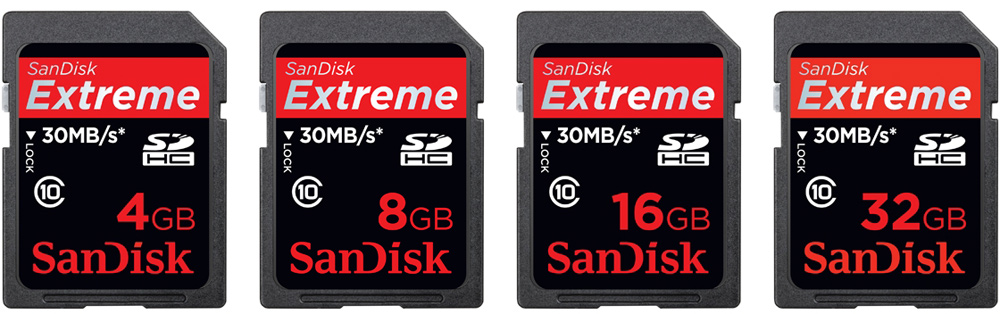
Sandisk Extreme 40mb/s CLASS 10 16gb card (up to 64gb)
Average price: $20-40 (depending on capacity)


Without a few of these, you're not going to be able to record anything you want to out of the camera. If you intend to shoot with the GH2 out of the box (no hacks) then you can get away with Class 6 cards (I recommend Sandisk cards only, as I feel they are more reliable). If you decide to push the limits of your GH2, you should purchase Class 10 cards... and the fastest datarate you can get (30mb/s through to 95mb/s). I shoot with 40mb/s cards, which handle the 'Flow Motion' hack quite well with minimal problems. I CANNOT STRESS THIS ENOUGH, YOUR MILEAGE MAY VARY!
You will want at least two cards. you don't want to be left in the field/on set with only one card. If that card is dropped/damaged/faulty/full... you will want a backup card. I recommend having more than two, but hold off buying extras if you can't afford it. I'd say 2 is your absolute minimum.


WORK LIGHTS
Average price: $10-40 (Depending on wattage etc)


If you walk into your local hardware store, mosey over to the lighting section... you'll see the 'worklights' for around $10+ depending on wattage. These are an inexpensive alternative to the usual "set lighting". There is a catch to using these, and that is... or the most part, they let off an orange glow... which can be a bitch. If you play with the white balance settings on your camera, you can turn that orange glow into a white glow (or blue... if you so wish). The other catch is, they use Hallogen bulbs... which run hot (like, really hot) and chew power.
You'll want at least three lights. You can get any type you like... but I'd recommend at least two on stands, and a smaller individual light with a handle... just in case.

Whenever I need lighting for a production, I always check out the hardware store. You can find a lot of really good inexpensive lighting systems. In a pinch, a bedside lamp has been known to give good light for specific situations...


-------------------------------------------------------------------------------------------------------------


And this completes our kit. By my count that's around $900. This is by no means a "great all rounder kit"... but for the most part, you can get by with these as a starter kit.
Yes, you can cut corners here. You can buy a cheaper tripod, buy a cheaper mic etc... and put the money into lenses. But, I would recommend you focus your attention to the audio department. Most people forget that audio is 50% of the film watching experience... and if its horrible, it will take away from your visuals.


ALTERNATIVES:

You can replace the GH2 in this kit for, instead...

a Sony NEX 5-n.
The 5-n is around $400 on eBay, and shoots footage that looks just as good as the GH2's footage. The camera is considerably smaller than the GH2, but still holds similar functions that make the GH2 great. If you're looking to pinch pennies on the camera side of things... then go for this camera. I haven't personally used it, so don't blame me if you purchase and don't like it.

A Canon 550D/T2i.
This was one of the more popular Canon DSLR's for beginners in the beginning of HD-DSLR filmmaking. It's the smaller, cheaper brother of the Canon 5D MKII... just without some of those bells and whistles. Boasting 1080-24p and 720-30/60p options in video mode, and 18mp stills in photo mode... you can pick one of these babies up body only for around $4-500. Even cheaper if you go second hand. There's a catch... You can't adapt a lot of the cheaper manual lenses to the camera, such as C-mount or Canon FD glass without running into problems. Nikon primes, M42 primes and some non Canon FD glass can be mounted with adapters, and will work great. 12 minute recording time limit per clip is another problem, although Magic Lantern (a hack for Canon cameras) can really unlock this cameras potential as a filmmaking tool.


Aug 3, 2010

Developing an idea, turning it into a story

I was just doing some forum posting and I came across a thread where the poster was asking "How do you get ideas for films?". This is a good question, as even I run into problems writing stories and developing them. I've never sat a creative writing class, but I do understand some of the basics.

Finding the idea:
This is what I do. I look into my imagination, take everything that interests me as a person... all those fantasies I have/had, and those are my basics. For my script "Story Of A Hitman" I took my fantasy of wanting to be a professional killer/gun for hire, and wrote it around a character based on me. I took that, developed a dramatic "happening" (any will do really) and then based everything that happened to the character on that dramatic turn. Just like in real life, anything that happens to a character changes their direction in life. It affects their state of mind, their aspirations and their view. For better or worse.

There are some basic storylines that you can work off. Those being: Hero and Villain, Boy falls for girl, etc... it all starts with a basic line. This is where you should start, if your fantasies aren't similar to mine. Just write something that you WANT TO MAKE. What kind of film have you always thought you'd like to make? Or, what is your favorite film? As with most things, storytelling isn't all that original anymore. Just about every aspect of any basic story has been told. The best you could do as a storyteller, is take the best bits of any idea you have... and mash them together.

Developing the Idea:
So you have your bits and pieces written down. Or your one line that will basically sum up your script. Now comes the fun part... turning that line into a developed script!

No doubt you've got your hands on a word processor, or some form of script writing program... but incase you don't, grab Celtx and install it. Start writing notes in a blank text document, such as characters (you should ALWAYS HAVE A MAIN CHARACTER!) and locations... extra bits that might make your story nice and meaty. Got your main character? Good.... now comes the next bit.

Start a new script project, and think of the first place we should meet your character. We should introduce him/her to the audience, either during a dramatic moment... or through dialog (voice overs are a great way to start). In most cases, it'll be smooth sailing from here on. Just write what comes to mind, and it'll all piece itself together!

Feb 22, 2010

Taking your 16:9 footage and making it Anamorphic.

Clicking the links will open screenshots ;)

Those of you who live and breath films will know that Anamorphic aspect ratios are pretty much a standard in todays Hollywood film market. What you probably don't know is: How to make your own films look just that little bit more cinematic. You could go out and buy an Anamorphic lens for your camera, which is hard enough to do if you don't own a high end camera; or you can do it digitally with your NLE (Non-Linear-Editor)... which is how, in many cases, Hollywood does it. Maybe not with the same tools, but... they do it cheap ;)

What I will show you today is pretty much the same way Hollywood does it, but cheaper.

Prep.
Now, this won't work for all situations... considering most people don't consider framing when they're filming, but there is a few things you can do to help you out. First off, take some masking tape, and put two strips on the top, and bottom of your Camera's LCD screen. This pretty much simulates where your framing will need to be. For added effect (and it will work SO MUCH BETTER), use a wide angle lens... even for close ups. This will help you fit more into the frame, and will give you as close-to-Anamorphic as you can get without buying the lens. Remember, when framing up with your LCD screen, that where the tape is covering, will be be what you are cutting out later in editing.

After Shooting, and on to editing.

I'm going to show you how to simulate this anamorphic effect in Sony Vegas 8 pro, but I'm pretty sure you can use the same method in Premiere Pro. To my knowledge, Final Cut Pro has a preset built into the program that allows you to actually do this effect automatically.
Bear in mind that my method isn't quiet accurate (but it does the job) and that you will probably want to experiment to get it just right.

Firstly:
Import your footage. Before you begin to crop and split your footage, make sure you DO AS I SAY. If you don't, you will spend a lot of time going through all your little snippets doing this one bloody thing. If you don't want to do it this way, you can always edit, render your file, and then re-import the rendered file... and do it this way. Quicker, easier... simpler. Your footage can be in 16:9 or 4:3 format... but bear in mind that A LOT of your footage will be cut out. Heres my footage imported into SV8


Once you've rendered out/imported a clip into the time line, right click that clip, and select 'Video Event Pan/Crop'. Type in the following details, and disable the 'Lock Aspect Ratio' button to the side of the dialog box.


You may need to tinker with the framing depending on your source file (in my case, I'm editing the stock .m2t file that I imported from my HighDef cam... in your case, SD DV may need tweaking) Also keep in mind that my timeline is set at a PAL DV preset (I chose 4:3, for DVD tranfer) and not HD. This method WILL work when rendering out in 720p or 1080p, but will look a tiny bit different.
Rather than type in every single number on every single clip, just click the box with the preset title 'Unknown', type in 'Anamorphic' and hit the save (floppy disk icon) next to the box. You can then simply cycle through the presets later on and select the custom preset. Once you've finished editing, render out and play in your preferred video player.

With my own clip, I added a bit of colour grading to give it some more cinematic effect.

Just experiment, you'll get it ;) HAVE FUN!

Feb 11, 2010

For those shopping for a Camera!

OK, so those of you who follow me on Youtube will know that I bought myself a new Canon HV30 some months back. This camera is a great little cam, perfect for short films and such... with the High Def, external mic jack, Headphone In jack and all on DV tapes. The only real issue I have with this camera is the zoom. The built in lens is simply CRAP for wide angle capturing (You need to be a state away from your subject just to give the wide effect!), and pretty shit for close-ups too. If you're gonna buy one of these cameras, I suggest you buy the 43mm lens kits (Go for Raynox, if you can afford it... or just buy the lens' from Canon) and filters as well. That way, you get the WHOLE picture, not just a small piece. The wide angle lens really does help for those who will end up converting they're footage to 2.1 aspect ratio, as you can capture a lot more in frame, and not lose half of the picture when converting!
Anyway... Canon HV30 + Canon lens kit is upwards of $1000US ($1500AU) but totally worth it. It's also cheaper than the XHA1... but the image quality isn't as crisp. Check out YouTube for all the test footage :)

Jan 13, 2010

13-01-10: "Colour Grading"

So I downloaded the tryout of Magic Bullet Looks from the Red Giant website (www.redgiant.com) a few days ago, but hadn't had a chance to test it out untill now. I've noticed that a few editors and Youtube/Vimeo short filmers have been experimenting with this tool, and I decided that I wanted to check out what I've got on offer when it comes to editing Story Of A Hitman later in the year. I must say, I'm quiet impressed with the level of control I'm getting from this tool! I've attempted to do something similar with the standard Sony Vegas colour corrector, but never had anything like this. Take a look at this:


Impressive right? A lot of people might say that its a little overdone, but I think that it instantly makes it look so much sexier! The overall colour is warmer, the skin colour is almost true to real, greens are well saturated, yet the grass looks dry and dying.The shadows are more natural, and the blacks are nice and deep. For a simple test of cap gun smoke (some unpublished footage I filmed for my own personal use)... it looks like a film! Almost reminds me of the grading from District 9, except a little warmer. Lets look at another:


This still is from a test film I shot with my siblings, testing my new Special Effects package and how well it works with my HV30 (Actually published, on Facebook). I attempted the orange 'warm' effect on this footage, but it made the muzzle flash to bright... so I thought a greener '35mm' film look might be better. I was quiet impressed with the contrast (I like deep colours on my most of my films) and the vignette around the edges really brought out the film effect so much more. If you look at the original, you'll notice that it's sharper than the final output. That's the Magic Bullet Looks 'film' post effect... slightly modified. I've always thought that film came out really sharp, but still... this does give a nice soft glow to the actress.

The Looks tool can give you control over everything from diffusion effects, Depth of Field, Vignettes, Saturation and brightness, Gradients... pretty much anything that can change the colour of original footage. I'm almost convinced that it's worth paying for! Check out the trial on your own footage, you'll be impressed... I garantee it! Works with Sony Vegas, Premiere Pro, After Effects... and theres a standalone 'Image Builder' which you can use to modify stock JPEG photos. The Looks Builder doesn't allow you to cycle through your footage (at least, not on Premiere Pro or After Effects... I haven't been able to get it to work on Sony Vegas) and fine tune... but it might be a good idea to shoot in the brightest conditions possible to get the best control over colour grading in this program (Isn't it the same for anything else?).
Have fun, let me know what you get!

Jun 9, 2009

Going for festivals!

Yep, thats right... Daniel Rutter Films is going for film festivals!

Early last month, I started up a project entitled "A Short Story About Love And Loss", a script I'd been silently working on. Planning is under way, and actual actors have been cast. Shooting hasn't begun yet, but will begin *hopefully* mid-August. I'll be using BRAND NEW equipment, and hopefully spitting out some higher quality stuff. This film will not be released on Youtube untill I have put it through its paces via any short film festival I can get it into.
Stay tuned, I'll keep you posted!

Daniel Rutter

Mar 18, 2009

Hunting A Shadow RELEASED!!!!

It’s about time I released something I promised to you guys. As usual, here’s the info all you technical junkies wish to know.
This film was filmed, as with my others, with a Nokia N95 camera phone. Unfortunately, what you see on YouTube is only one quarter of the quality this camera can produce. I shot it in about four hours (it was rushed, the phone was going flat…) and wrote the script in a week.The music, as with my other films, is provided by the talent of Newgrounds.com and their audio portal. Thanks to FarCryDX, Chris, and the others whose tracks I used… without them, the film would have been crap.
As you would have noticed, this movie had a huge amount of rough camera work. It was rougher than I wanted, but I think that it actually works for the particular storyline. I wanted to emphasize the reason of the story a lot more, but when you’re working with the limited resources I have… you make do with what you get. I had planned a massive scene that the soldier character shares his exact reason for revenge. It was a majorly emotional scene, and required acting skills I certainly don’t possess. We did film some of it, but decided not to finish it, because it sounded crap. That, and it took the film over 10 minutes.I would also like to mention that I stole the sniper rifle sounds from Battlefield 2, and edited them to fit. Thanks EA games, please don’t sue me!
Skye was a great help with the filming of this movie, as always. I’d like to express that she is the reason I make all these movies with her.
I had planned on sending this away to a Film Festival, but decided that I would make something bigger, better, and high quality for that. I’m in the process of penning the script for the said project… but without giving to much away… it’s going to be based on a novel I read recently.

Mar 16, 2009

Hunting A Shadow Trailer Released.

And I finally finished the script I've been working on. Not only did I finish writing it, but I also filmed it overthe weekend.The story follows a soldier looking for revenge on a ruthless sniper who took out his team while on aseek and destroy mission in the bush. After hearing of his loss, a journalist decides to join him in the hunt, hopingto catch a big story. What you will see is unedited footage sent to the government my enemies of this country.
While it only took a day to film, I plan to spend some time perfecting the final product. This is only a small project,compared to the ones I've been dreaming up for the future. So, while I edit the movie... check out the trailer, and tellme if you think it'll be boring, or if it'll be worth checking out.
If you're wondering why some of the shots in the trailer are kinda unstable and awkward, I'll tell you. The entire idea ofthis project was to mess around with the idea of "documentry-style filming"... or ametuer camera work. If you've seen filmslike "Cloverfield" and others similar, they all use this sort of technique. When I was overlooking the stuff I'd captured, Inoticed that it might be a little rough, but hopefully it will bring the effect I'm attempting to the audience.I hope to be done by the end of the week, but I really want to perfect this... so be patient!Thanks for dropping by...Daniel Rutter.