Showing posts with label Panasonic. Show all posts

Apr 15, 2014

My Song 2014 - Behind The Scenes!

Hey guys!

I haven't made many posts since November last year, but I'm back now. I generally try not to post unless I have interesting things to post about.

Today I have a bit of a post about a recent shoot I did, the My Song Award 2014.

I generally try not to do live performance shoots nowadays, as last year I came to the realisation that a lot of my audio problems come down to 1) my gear, and 2) the sound engineer at the mixing desk. So I've decided to limit the types of live performances I film.

When Mike from My Song Award/Australian Art Sales asked me to come back again this year to film My Song, I was stoked. Last year was great, and I wanted to come back and see what was improved. It was a great experience, but it's such a shame only a small portion of Dubbo turned out to see it. Dubbo missed out on a great showcase of talent from across Australia!

I'll detail how I filmed the performance, how I edited, and my personal thoughts of the experience.

The Gear I Used:
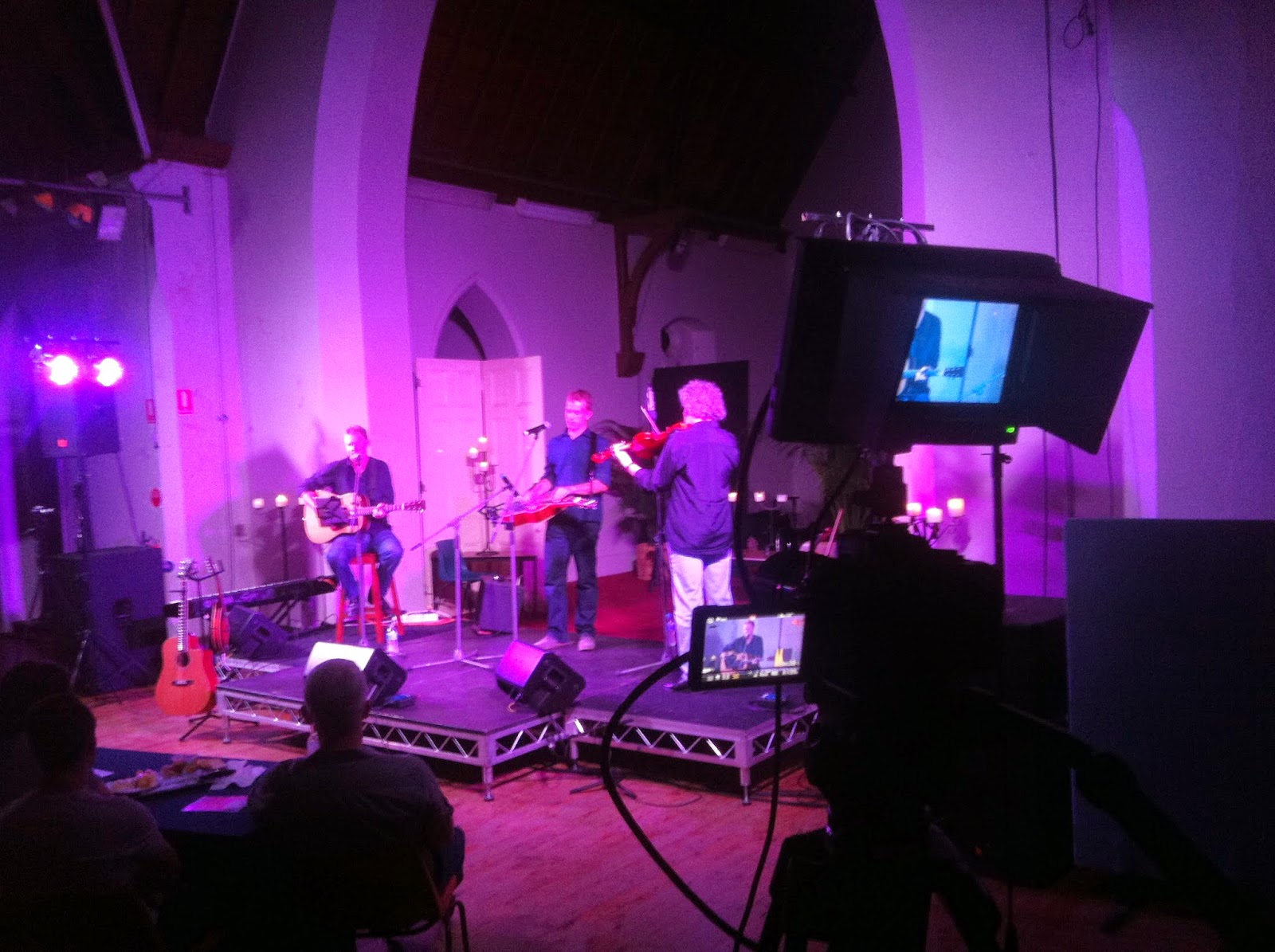

String Theories - the view from my little perch!

Panasonic GH2

My ever-trustworthy and loveable Panasonic GH2 was my A camera, which I had on my Weifeng 717 tripod. I used a Sigma 35-105mm MD lens that I purchased recently on Fleabay, which I found to be a little cumbersome and heavy... but was a nice sharp lens. I may do away with this lens next year and replace it with the 45-150 from Panasonic. I found that even the slightest touch of the tripod would make the camera wobble, and it really showed in the footage. I need image stabilization and a telephoto reach, so I think the native Panasonic lens will benefit me next time.
Still, I was happy with my GH2 footage (I am rarely disappointed with my GH2).
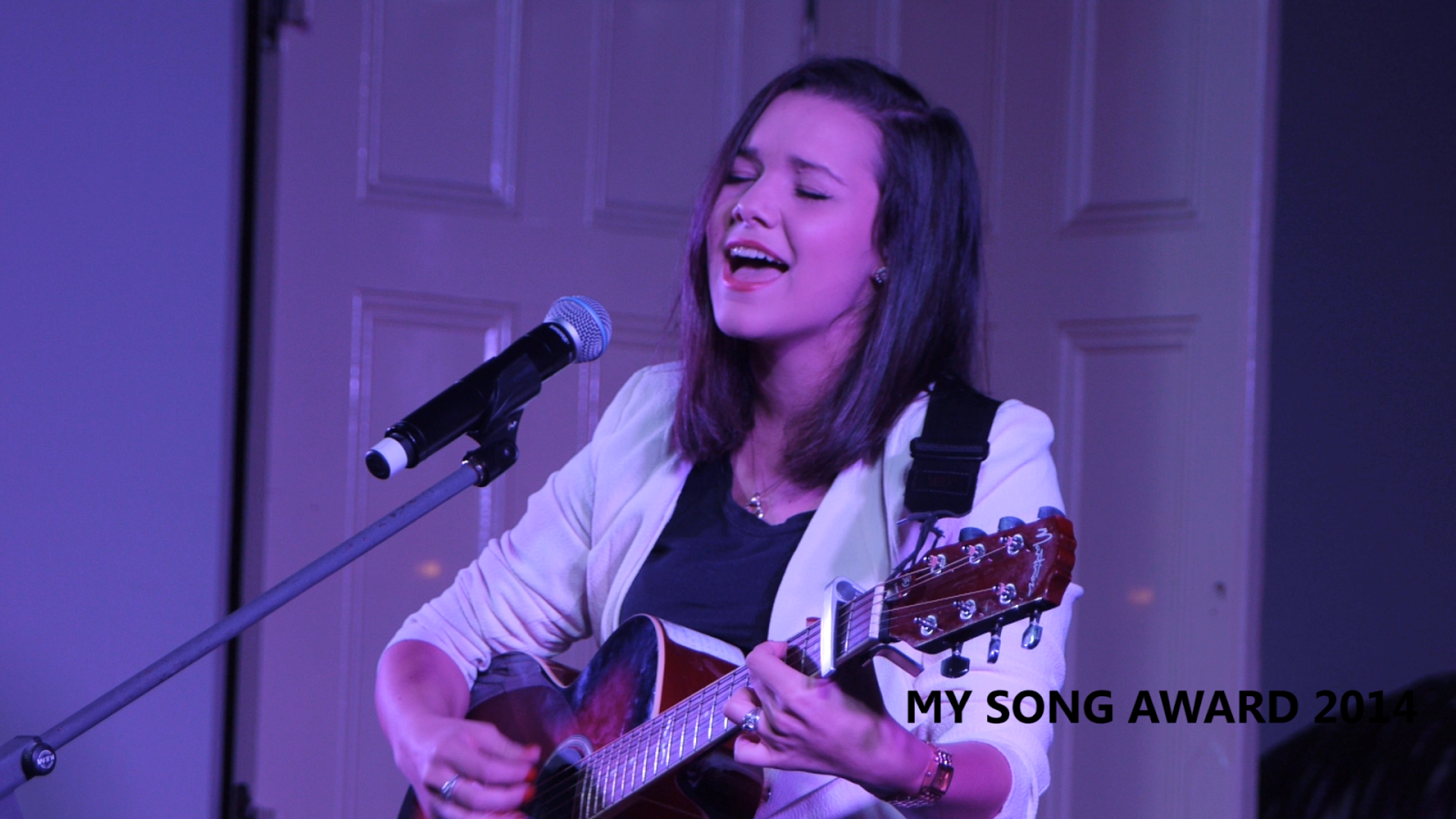

Dayna James-Gazi - Still frame from GH2

One thing to note is that on last years My Song shoot, I used a slider with my GH2 to add some movement to my shots. I didn't do that this year for two reasons.. one being that my slider is currently broken/not working properly, and two: It's cumbersome and annoying to use with telephoto lenses.

Panasonic G6

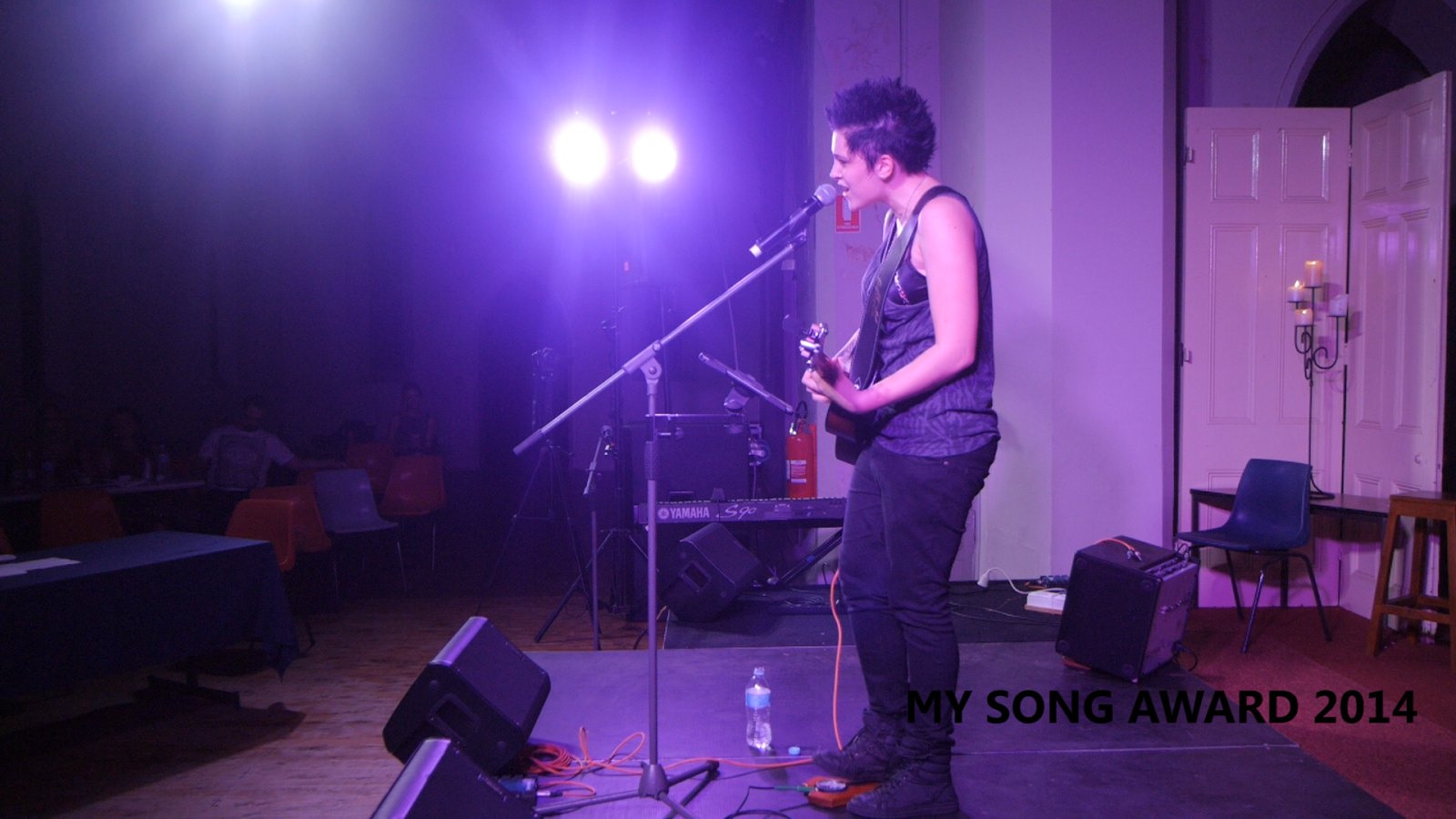
I recently purchased a Panasonic G6 to replace my aging GH1, as I wanted to have a bit more of a uniform image quality across multicam shoots. My G6 was on a SLIK Photo tripod, which was a cheapo I picked up before the shoot. I used the kit 14-42mm lens on this camera, and did my best to change the camera around a bit for some more interesting angles across the different performers. For instance, about half way into the String Theories performance I realized that the camera, which was positioned in front of the stage to focus on the Dobro player (guy in the middle) and the Violinist while my GH2 focused on the guitarist and lead vocalist, wasn't really getting just the back of the violinist without capturing much else. So I put it behind the stage to get a nice shot of the violinist with the lights above him. I felt it made for a more interesting shot.


Jade Lee Wright - G6 angle
Jade Lee Wright - G6 Still frame
Panasonic GH1

I had to borrow some extra cameras from my friend and frequent collaborator Bart Riley from Forgotten Walrus Entertainment as I didn't have the time or funds to purchase the cameras myself. I had sold my GH1 and my frequently blogged about LX7 (I used it on last years My Song shoot as well!) to Bart last year to help fund the purchase of my G6, as well as hoping to purchase a second GH2 body. Well, that never happened, so I had to hire my old gear back from Bart anyway!


The GH2 had the kit 14-42mm lens on it, and I had it also mounted on a SLIK tripod that I own. Of all the gear I used on this shoot, the GH1 surprised me most. I had sold the GH1 on the grounds that I felt it couldn't match my GH2 in quality, which was hindering the uniform quality of my wedding videos... and the My Song shoot made me instantly regret selling it. It was the angle that I ended up relying on most for the editing.


Canon HFR20


This was a camera I borrowed from Bart also, which I had mounted on a Magic Arm towards the back of the venue so I had a wide shot with the audience in it (something missing from My Song 2013's videos) to cut to in editing. Sadly though, this was the camera and angle that disappointed me most, so I didn't use it all that often. I think next time I will use my G6, or another camera that is better suited to the task.


Audio Recording


I had previously discussed with the client that I wanted nothing to do with the audio side of things due to my previous disasters with live performance audio, but I had decided recently after purchasing a 5 channel Behringer mixing desk, that I would give it another go. I ended up borrowing a Windows 8 tablet PC from a family member, took the mixing desk along (it outputs to USB) and recorded the audio feed from the house mixing desk, into mine. I recorded directly into an Adobe Audition project so I could edit it all later. This is one of those times where I was so grateful to be working alongside an audio guy who isn't completely ignorant of any other professional in the room. Alan was more than helpful, even agreeing to keep a watchful eye on my recording to make sure I wasn't peaking or anything similar while I focused on filming. The resulting audio is utterly eargasmic... and my only real gripe was some guitars were a bit quiet on one particular set, but that was all.

Editing
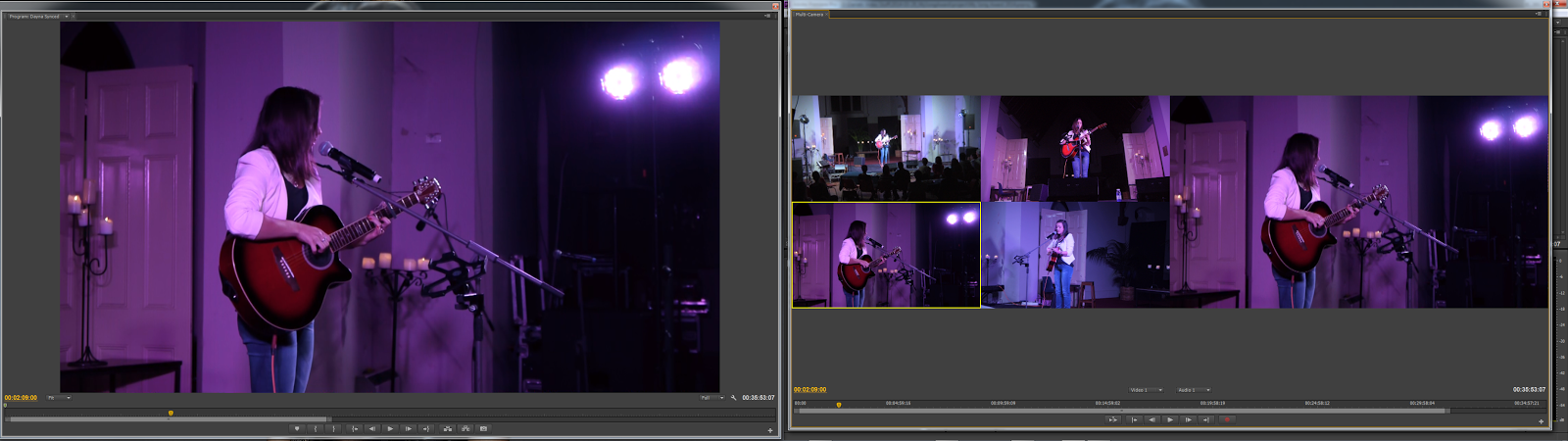


Dayna James-Gazi's set - In editing

I generally do my editing nowadays in Adobe Premiere Pro CS6, as I find the multicam editing feature to be utterly amazing. I did most of my audio tweaking in Adobe Audition. I haven't finished editing the entire collection of footage yet, I have cut most of it and finished up all editing of the "nominated songs". These are 6 videos of the songs that the artists wrote specifically to enter into the competition with and had to perform for the judges on the night. For these clips, I focused on making the edit flow nicely, including transitions (which I didn't do last year). For some clips, I even added some faux movement in the shots just for a bit of interest.

One thing that I decided to do, which I hadn't really thought about doing last year (not completely understanding the job I was given), was record informal interviews with most of the artists so we could get a bit of an understanding on what drives them as musicians. I neglected to take audio gear with me on the shoot (besides my mixer and Tascam DR40 for backup) so I borrowed a microphone from the sound/audio guy and used it for the interviews. I was so impressed with the mic that I decided to buy one of my own (A Shure PG58). You can see some of these interviews in the nominated songs clips. 

Conclusion

 All in all, it was a great shoot with a few small challenges but nothing that completely sucked the fun out of the experience. All in all I felt that my filming efforts this year were a miles-long improvement over last year. The final product speaks for itself, and although it has it's flaws... I'm again proud of my work. My understanding is that the client is happy, which in turn makes me happy.

Here's hoping there is a My Song 2015, and if there is I hope to be in attendance (either as a patron/audience member or working). 

 Thanks for sticking through another one of my novel blog posts. :) Check out the videos, which are below (Be sure to watch in HD for best quality):


Apr 30, 2013

Filming The My Song Award 2013

Hey guys and gals!

I had a very busy weekend this weekend, filming a wedding on Friday night, filming the My Song Award on Saturday night... and editing on Sunday. A bit of a long weekend for me, but nothing a hard working videographer can't handle.

When I was asked to film the My Song Award, I really didn't have much of an idea of the location... or how I would go about covering it. I had a few weeks to figure it out after I agreed to take the job. The concert was to be held inside the St. Brigids hall in Dubbo, a former church. I'd never set foot into this building until Saturday night, and I was quite surprised at how well lit it was.

I started out with a basic plan. A multicamera shoot with seperate audio off the mixer... my usual palate when it comes to live performance videos. When I got there, I unpacked my gear and set up around the stage. I knew I was going to have trouble fitting 6 half hour sets on my 32gb card in my hacked GH2, and I'd bought extra cards in anticipation for the shoot that didn't arrive in time... so I had my girlfriend bring her laptop, and be my data monkey between sets.


I set up my GH2 on my best tripod, with my new slider over to the right of the stage. I attached my 50mm 1.7 lens for a nice close perspective (wasn't as close up as I wanted, but it worked well enough). I also set up my GH1 to the left of the stage with my C-mount 35mm f1.7 for a slightly wider perspective. This camera, as well as my wide center (My LX7/HV30 with Fisheye lens) were to be the static shots, my slider/tripod combo would be the only moving shots.

The gig kicked off, and despite a few small hiccups with sound (I managed to drop my Zoom H1 recorder at the end of one track and the battery fell out. I slammed it back in and had the recorder back up and running before the next song started. Towards the end of the second set, my LX7 decided to die due to a suddenly dead battery (very sudden). Meanwhile my GH2 and GH1 were chugging along happily without any hiccups.


At the end of the second set I pulled out my backup camera, my Canon HV30... chucked a tape in it, and threw on my handy dandy Sony wideangle lens. I'd never used this lens on my HV30 before... and didn't know it would become a fisheye lens. I had that replace my LX7 in the wide center perspective and kept right on rolling.

Note the fisheye wideness of the center-wide shot.

From there onwards, there wasn't a single hiccup until the end of the night. After the last act, I knew my card in my GH2 would be getting pretty close to full. I sat patiently waiting for the judges to make their decision, meanwhile my last 10 minutes of card space slowly filled up. I managed to catch the verdict on the last 4 minutes, and stopped the camera with 19 seconds of space left on the card.

All in all it was a complicated but sucessful shoot. The audio came out better than expected, and with a bit of tweaking in Adobe Audition... I managed to make it sound as good as it was on the night.

Check out the videos, and check out the muso's pages. They are a very talented bunch, it was a pleasure to film them.


Apr 12, 2013

Filming a Music Video with the LX7 - Jon O Nicholson - "Hallelujah"


Yesterday was an interesting day.

I started off the morning double checking my gear, after a 5 hour nap. I repacked my gear bags and prepared for an afternoon of filming with talented Wellington-based performer Jon O Nicholson. We had planned to do a very quick and simple music video shoot in his recording studio.

I had originally planned to shoot this video with my Panasonic GH2, and all on sticks... but recently I added the Lumix LX7 (I've raved about this camera a LOT) and a new Dolly/Slider that I wanted to try out. I saw this music video as an opportunity to test out the LX7 in a film making-type environment.

I wanted the video to suit the song in the sense of feeling the singer was alone in a dark room/warehouse with only minimal light around him. I felt it fitted well with the reverb of the audio track. I borrowed the idea of shooting it in black and white, with Jono in a suit and emulating and old 50's/60's style, from a photo shoot I did with Jon O a few months ago. The idea was simplistic, required little to no planning... and very minimal equipment and setup time.


Right off the bat I knew I'd have trouble with the lighting. I knew I wanted a spotlight/hairlight setup, and the LX7 may not hold up well if I have to push ISO to brighten the image. Both my lights were low budget, a $20 Bunnings worklight with an energy saving globe rated at around 40w, and my LED Video ring light worth $40. The light you see leaking through the black background is light from a window with tarp over the outside. This actually worked quite well in giving us a "backlight" of sorts. The ring light was set up on Jon O to seperate him from the background. For the most part it worked well.


I set these up, bumped up the ISO to 500, and shot the video in black and white (which was what the final product was to be edited as anyway). The reason I shot B/W in camera is simply because in my tests, there was enough dynamic range to give the subject a flattering presence (balancing the highlights with the mids, letting shadows fall off nicely into the blacks) without crushing the image completely.

We shot with the LX7 mostly on the slider attached to my Weifeng 717 and got some really nice fluid dolly shots.

Unedited stills from the footage are below. Click to open the 'originals' (Picasa web still compresses images unfortuntely).


My final thoughts, both on the shoot and the use of the camera, are as such:

The shoot was indeed a success. We did a bloody good job with the lighting setup we had, which although limited in use and very frugal... we did good with it. Jon O was an absolute legend about the shoot, and very patient with me. I've worked with him in the past for photo shoots, and for a live performance video. He's a genuinely funny guy, and even funnier when you let him have a guitar in his hand. I especially chuckled at him making up lyrics on the spot whilst waiting for me to set up one of my shots, and watched as he followed his comedic ditty with a guitar solo straight out of the 50's!

The LX7 was an absolute joy to work with. I expected the footage to look much worse than it did, but it held up well. Most of my issues came with focusing, but that is mostly because I wasn't manually focusing during most of my slider movements. When focus was nailed, the image was brilliant. If I had shot this in colour, granted... it wouldn't have looked as nice... but the quality of the inbuilt monochrome preset just blows me away. Battery power was my only other problem, but this is what happens when you rely on a camera to allow you to film for 4 hours and not having a spare battery.


The video is currently uploading to Youtube as I type this, so I will edit the post and include the video link when it's finished. If you enjoy the video, please head over to Jono's Facebook page and give him a thumbs up!

Mar 31, 2013

Lumix LX7 - A tool for beginner film makers! (Review)


Hey all!

Today I wanted to share with you my thoughts and feelings about the Panasonic Lumix LX7, and how I believe it would make a very very good beginner film making tool.

In todays world of camcorders and DSLR's, it's good to know that point and shoot/compact cameras are becoming more feature packed. Nikon have a camera that shoot 4K for about a second (not exactly usable, but hey...), GoPro's now shoot 2.5k in 30p, and the Lumix LX7 has a wide aperture lens at f1.4 for creamy bokeh'd portraits.

I purchased the Lumix LX7 a few weeks ago to replace my aging Canon HV30, as I was beginning to get tired of transferring tapes to my hard drive... and having a hard time matching the footage from it with my Panasonic GH2 and GH1. I shoot weddings a lot at the moment, and the best thing about moving away from tape... is how quickly I can drop the footage onto my hard drive and start editing. So, when I sold my HV30 for $300, I began looking for a replacement camera straight away. I knew straight off that I didn't want another DSLR, and I wanted something that at least worked like my GH1 in low light conditions. The LX7 jumped out at me when viewing a forum post over at Personal View (the Panasonic Hack community).

I bought the Lumix LX7 on a whim, impressed with the low light performance and the quality of the footage I'd seen on the web. 24-90mm (35mm equiv) f1.4-2.3 lens, 1080 - 50/60p AVCHD, With a promise also of 120fps in 720p (MP4) as icing on the cake. I got the camera in the mail a week later and began playing with it. Here's a few things I shot within a week of owning it:


And I fell in love. This camera, while nowhere near the image quality I can get out of my hacked GH2... completely CRAPS all over my Canon HV30. The slow motion feature ('Lock N Load' was shot in 100fps/720p) wasn't great, but it was certainly useable in some environments.

----------------------------------------------------------------

So, the point here is to sell to you, the beginner film maker looking at this blog post, the reasons why this camera will help you achieve better looking videos.

The first thing that comes to mind, is the manual control in video mode. Once you flip the camera in to creative movie mode, select the big red "M" symbol... you suddenly have the ability to control your aperture (using the ring on the lens, which is really nice), your ISO, and your shutter speed. These are the three components you need to worry about. Beginner photographers need to grasp how all these work together, and in a way... so do serious film makers.
Once you look past the manual settings, you look at the wide aperture lens. f1.4 is almost unheard of in a compact camera. This is a portrait lens on steroids, making your head and shoulders dialog shots a lot more "filmic".  The built in ND filter (often unheard of in compacts, let alone many cameras in general) comes in handy when you're outdoors, and want that f1.4 aperture and don't want to mess with your shutter speed too much. The ND filter will cut light sensitivity down by about 3-4 stops (at a guess).

A raw sceenshot from footage shot on the LX7. Click to see larger image.

In the right situations, you can use this wide aperture to isolate your subject from the background, and give a nice creamy bokeh to your "background blur".
Although there is a lack of '24p', in reference to the framerate one would usually use in a film making situation (a throwback from the days of film, where they shot 24 film frames a second), it isn't that hard to manipulate the 50/60p video stream into a 24p timeline. I've done this with the "Lumix LX7 Various Clips" video above, and never lost quality. This 50/60p video stream can also be manipulated into slow motion clips, without a loss in resolution (in the past, you were only able to shoot 50/60p in 1280x720, half the resolution of Full HD)... therefor keeping the detail and sharpness. The hidden 128x720 - 120/100p mode isn't as useful, but if you have a want/need for extreme slow motion.. it's there. The clip above "Lock N Load" was shot using this setting, and as you can see... the quality just "isn't there" when compared to the other clips.


Wide apertures and framerates aside, the film maker can use any tool to make a movie. Webcams, Mum's handycam, your iPhone/Samsung Galaxy (which is pretty common actually), DSLR's and full blown prosumer camcorders. Not to mention 8,16 and 35mm film cameras, RED, Arri, Panavision. But the camera is a simple tool. There are films out there, that have had a wide cinematic release.. that were filmed on much less feature packed cameras such as the LX7. I highly doubt those of you reading this article are looking for a cinema-quality camera, and just want a decent tool for making Blu-ray and web-release movie making. In which case, the LX7 is more than capable.

Obviously, your limits with the LX7 will be obvious. No mic input or headphone output. These things aren't useable on most consumer products anyway, due to AGC (Automatic Gain control) and crappy preamps. A dedicated sound recorder (The inexpensive Zoom H1 for instance) and a decent microphone are the ideal capture method. You can sync these feeds by ear in post production, with the help of a clapboard.. or simply clapping your hands once at the beginning of each scene (after rolling camera and audio recorder, obivously). 

Feed the camera as much light as you can in dark situations. Although it isn't too shabby in 'low light', in complete darkness... you will find pushing the camera beyond 400 ISO tends to introduce chunks of grain the size of your fist. This should be expected of a $300 compact. Feed the camera light, then stop down to get the effect you want.

To prove this point, my next short film will be shot primarily on the LX7. There are some things I wish to do that will require my GH2... but only small pieces of the entire film.

The LX7 will most likely be the best money you ever spend as a young/beginner film maker. You will find yourself learning to work around the limits of this camera, using it with ease... and being very happy with the images you come back with. If you mix this with a cheap shoulder rig, leave image stabilization on (it's pretty damn good!).. you have an excellent little rig. Turn off the stabilization if you stick it on a tripod though.


So, in closing, this is a VERY good camera. I'm not a camera nut, I haven't owned 20 cameras in my life... and I'm certainly a stickler for video quality. I own three cameras besides the LX7, but the LX7 has quickly become my favourite. It won't replace the GH2 as my primary cam in most situations... but it will certainly compliment it! If you don't own a camera, and you're looking for a good starter camera... the LX7 is hard to beat for out of the box use.

Take care!